After a lot of research, it's done. This is my *NEW* guide to get the lowest latency, lowest ping, and highest FPS possible in Valorant. This guide has TONS of tweaks ranging form FPS based, Latency based, and even Ping/Network based. This will not only help your Valorant, but it should also help your PC overall feel better. If you enjoyed make sure you leave a like and check out my socials below!
Download: https://drive.google.com/file/d/15kLQPqIQdpyM8TZ6lp7JUFTyr88NXxpl/view?usp=sharing
*Click the download button in the top right hand corner of the screen*
Riot Nu's Channel: https://www.youtube.com/c/RiotNu
TIMESTAMPS:
0:00 Intro & Pack Download
1:10 Windows Updates & Core Files
5:45 Original Benchmark
6:26 Graphics Optimizations
13:14 Windows Cleanup
14:40 Windows Optimization
24:11 Hardware Optimization
27:38 Network Optimization
35:44 In Game Settings and Priority
39:48 OBS Optimization (NVidia Only)
45:24 Reset Changes (Restore Point and Registry)
46:52 New Benchmark
FOLLOW MY SOCIALS!:
Twitter: https://www.twitter.com/eevux
Twitch: https://www.twitch.tv/eevux
Tik Tok: https://www.tiktok.com/@Eevux
Disclaimer: I am not responsible for anything that happens as a result of you following this guide. If you decide to follow it, you are doing so under your own free will. I've included information on how to revert the changes we make using System Restore and a registry file that reverts all the changes.
#Valorant #ValorantFPSGuide #ValorantFPSBoost
--
Valorant,Valorant fps guide,valorant fps boost,lower valorant ping,best valorant settings,valorant best settings for fps,valorant fps fix,valorant lag fix,how to boost fps in valorant,how to get more fps in valorant,valorant low end pc,valorant fps boost guide,valorant fps settings,valorant settings for fps,fps boost valorant,valorant settings,valorant increase fps,how to increase fps in valorant,valorant fps,valorant best settings,increase fps valorant
- Category
- VALORANT
Commenting disabled.
Up Next
Autoplay
-
08:48
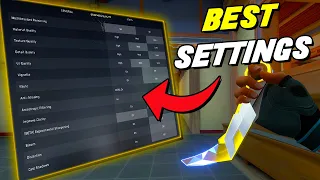
New *BEST SETTINGS* for VALORANT! (Optimization Guide) *July 2023*
-
00:23

(⚠️flash warning) hosted on twitch and maybe yt if i can figure out obs awevokawpv #vtuber
-
11:08
BEST Optimization Guide | Valorant (Unreal Engine 5) | Max FPS | Best Settings
-
07:34
Valorant - Console Optimization and Future Upgrade to UE5 Announcement | Unreal Fest 2024
-
10:44
IMAQTPIE vs NIGHTBLUE3 | VAYNE vs LEE SIN | Full Game Highlights
-
15:44
HIGH ELO RAGERS 2 feat. Imaqtpie
-
00:50

Imaqtpie Teemo Voice Impressions
-
10:21
Imaqtpie answers to every allegations of Nightblue3...ft Scarra - Beyond the Rift
